How to Add a Count-In to Any Backing Track in 30 Seconds
· 3 min read
If you've ever fumbled the first note of a song playing to a backing track, you know the feeling. The old way of adding a count-in means audio editing software, working out the timing, and a fair bit of trial and error. There's a quicker way now.
If the backing track is on your computer, hear CountIn count it in on beat one. Listening is free and needs no account.
The old way (skip this)
Before tools like CountIn, you had to:
- Open the backing track in a DAW
- Work out the exact BPM, or let the free BPM finder read it
- Find where the first beat lands
- Drop in click sounds at the right spots by hand
- Export and hope it lined up
- Do it again when it didn't
That's 15 to 30 minutes a track. For a 20-song set, you're looking at the better part of a day.
The quicker way
Here's how to add a count-in in well under a minute. Watch the whole thing, with sound:
Step 1: Upload your track
Drag your backing track (MP3, WAV, M4A, FLAC, or OGG) onto CountIn. It starts analyzing the audio right away.
Step 2: Check the downbeat
CountIn detects where the song starts and drops an orange marker on the waveform. If it's slightly off, drag it to the right spot.
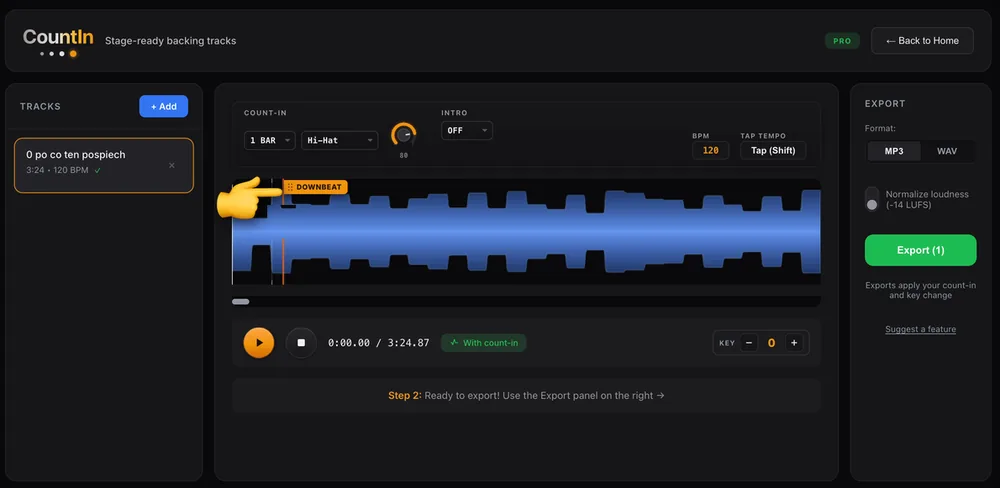
The marker is draggable: grab the flag and slide it to where beat one really lands.
Zoom in on the waveform if you want to place it exactly. Seeing the audio makes it easy to spot where that first beat hits. If you are not sure what you're looking for, what a downbeat is covers it in a couple of minutes.
Step 3: Preview and adjust
Hit play to hear the count-in. CountIn uses the detected BPM to time the clicks so they lead into your track. You can set the number of bars (1 to 4), the click sound, and the volume.
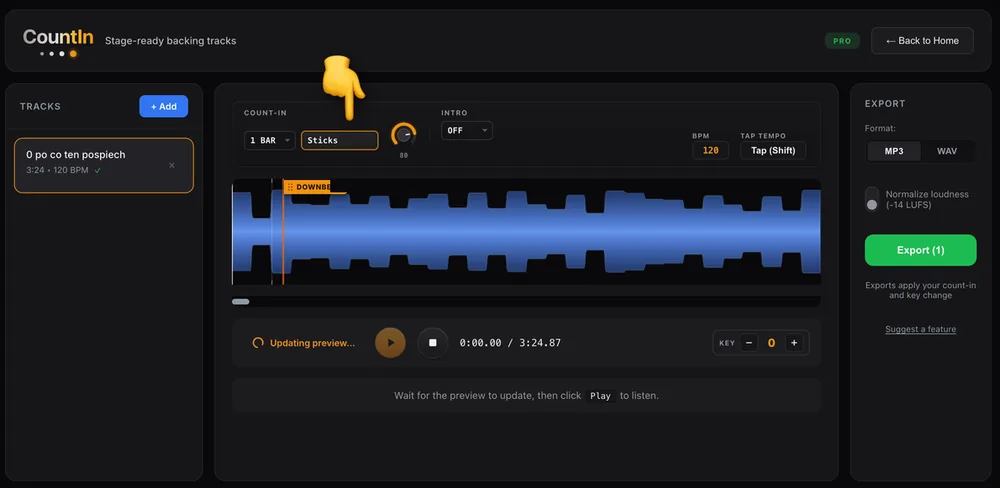
Pick whatever cuts through your in-ears. Sticks carry better on a loud stage than a hi-hat.
Step 4: Export
When the preview sounds right, export the track with the count-in baked in. That's a backing track ready for the next gig or practice session.
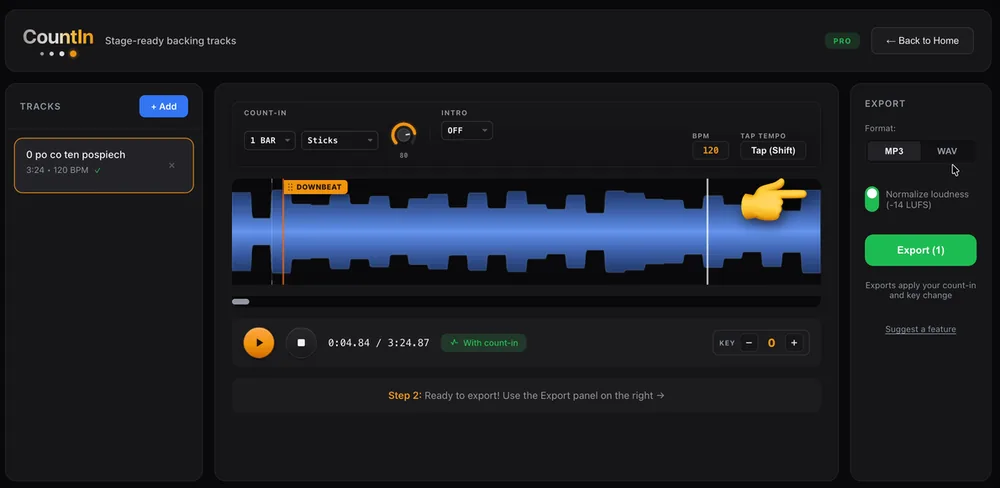
Leave loudness matching on and every track in the set lands at the same level, so nothing jumps between songs.
Why a good count-in matters
A count-in does more than get you in on time. It sets the tempo in your head before you play a note, takes the guesswork out of that first entrance, and keeps the whole band together when everyone's on in-ear monitors. The audience won't notice a clean start, but they'll definitely notice a false one. It is one step in preparing backing tracks for live performance, next to setting the key to fit your singer with the key changer, and getting your levels even.
Frequently asked questions
What if my track has a pickup or starts off-beat?
You can place the downbeat marker wherever you need it. If the song has a melodic pickup before beat one, set the marker on the real downbeat and the count-in leads into that.
Does it work with live recordings or tempo changes?
It works best with a steady tempo. For a live recording that drifts, put the marker where you want to start and the count-in matches that section's tempo.
I practice in Moises. Can't I export the count-in from there?
No. Moises plays a count-in during practice, but its own docs confirm it isn't included in exported files. Export your mix from Moises, then add the count-in here so it's baked into the file. Details in can you export a count-in from Moises.
Can I use different click sounds?
Yes. There are several click sounds, so you can pick whatever cuts through your in-ear mix best.
Is this the same as a click track?
No. A count-in leads you in and stops on beat one; a click track runs through the whole song in the band's in-ears. Plenty of bands use both. The full comparison is in click track vs count-in.
Ready to try it?
Open CountIn and add a count-in to your backing tracks in seconds instead of hours.
CountIn is a free web tool that adds count-ins to your backing tracks. No signup, and your audio never leaves your browser.
If the backing track is on your computer, hear CountIn count it in on beat one. Listening is free and needs no account.
← Back to Blog · Click track · Free BPM finder · Tap tempo · Key changer